How to link a card to WeChat and pay for purchases in China
How to link a card to WeChat, verify your identity and pay for purchases in China. What to prepare before your trip and check when paying at checkout.

Quick answer
To pay for purchases through WeChat Pay in mainland China, you need a card that both the service and your bank support for that type of transaction. Before your trip, prepare your documents and make sure you have access to your phone and bank verification methods. Follow the prompts in the app. At checkout, check the recipient, amount and funding source. Linking a card does not confirm that you can top up your balance or transfer money to another person.
What to prepare for payments
- Card
- Check compatibility
- Documents
- Prepare them as requested by the app
- Funding source
- Check before paying
- Transfer to another person
- Check as a separate transaction type
Which cards can you link to WeChat?
Start with your specific card product. Check the card network, country of issue, issuing bank and card type. Ask whether your bank supports linking it directly to WeChat Pay and using it for purchases from merchants in mainland China. A general answer about international transactions is not enough.
The How to use mobile payments in Shanghai guide lists Visa, Mastercard, American Express, JCB, Discover and Diners Club International among the supported international card networks. This list does not confirm that every card bearing one of these logos is compatible.
What should you check for a Russian card?
Ask for confirmation that your specific card product can be linked directly. For a Mir card or an Asian-Pacific Bank card, ask the same question: which app and which transaction types are supported? Then check the result of adding it to WeChat Pay.
What should you check for a foreign card?
Tell your bank the card product and country of issue. If your card was issued in Kazakhstan or Armenia, that alone does not confirm its compatibility with WeChat Pay. Check whether purchases are permitted and whether the card is available in the payment section.
What should you check for a virtual card?
Ask the issuer whether this card format is supported in WeChat Pay. Have your card details ready and make sure you can access bank verification. After adding the card, check separately whether it is offered as an option for a purchase.
Distinguish between apps. Russian Agricultural Bank's article on QR payments in China describes using the bank's UnionPay cards through Nihao China. Scanning a WeChat Pay code in another app and linking a card directly to WeChat are different actions.
What should you prepare before your trip?
Update WeChat and make sure you can sign in to your own account. Have a valid card, your international passport and access to your banking app ready. Keep your document handy: the payment service may request information to verify your identity.

Check the phone number your bank uses for verification. Find out whether you will be able to receive messages abroad and approve transactions using your bank's verification method. Internet access and receiving a bank verification code are separate issues: check both before your flight.
Do not assume that a Chinese phone number is a general registration requirement. Tencent describes registration using an overseas phone number. During setup, follow the prompts for your account, and if you change your SIM card, retain access to the verification methods you need.
Below, the English menu labels are accompanied by explanations in Russian. If the labels differ, look for the wallet and bank card sections by their meaning. Have an email address ready for correspondence with support if that channel is available; this guide does not assume that linking an email address to WeChat is mandatory.
How do you verify your identity and add a card?
The order depends on the prompts for your account. Tencent's article on payments for travelers describes a streamlined process for linking an eligible international card and separate identity verification for additional features. There is therefore no need to prescribe the same sequence for everyone: "complete full verification first, then add a card."
-
Open the bank card section
The confirmed menu path in the Shanghai guide is: Me ("Me"), Services ("Services"), Wallet ("Wallet"), Bank Cards ("Bank Cards"). If the labels differ in your version, find card management within the payment section.
-
Select the option to add a card
Complete the fields shown in the app. It may ask for the card number, expiry date, cardholder name and security code. Check the information against your bank details; do not enter an arbitrary profile name in the name field.
-
Complete the document and verification requests
If identity verification appears, have the requested document ready and enter the information as prompted. You may need your international passport and a verification code at the relevant stage. The full set of fields is not necessarily the same for every account.
-
Check whether the card was added
Return to your payment methods and make sure the card is displayed. If the app suggests additional actions, read what they are for and complete the required step. Check separately on the payment screen whether you can select the card for a purchase.
Distinguish between your WeChat login password, payment password and one-time bank code. Enter each only when prompted for that specific credential. If the app asks you to create a payment password, follow its requirements rather than using the code from a bank message.
How does paying by card differ from using your balance or transferring money to someone?
When paying by card, you select a bank funding source to pay a merchant. Your wallet balance is a different funding source, while transferring money to another person is a different transaction type. Check the purpose of the payment along with the available funding method.
| Transaction | Where the money comes from | Who you pay | What to check |
|---|---|---|---|
| Card purchase | The selected linked card | A merchant | Whether the card is offered for this purchase and what terms are displayed |
| Purchase using your balance | Your available wallet balance | A merchant | Whether your balance is available as a funding source for that specific payment |
| Transfer to another person | A funding source permitted for transfers | Another person | Whether the feature is available and which funding source the app offers |
An added card confirms only that it has been linked. Passport verification is likewise not blanket confirmation that all wallet features are available. For the transaction you need, check the actions and terms available for your account.
If you plan to use WeChat to pay in China, separate the tasks: set up your account, add an eligible card and check a purchase from a merchant. A transfer to a local resident does not replace checking a merchant payment and is not a universal test.
How do you pay with WeChat at checkout?
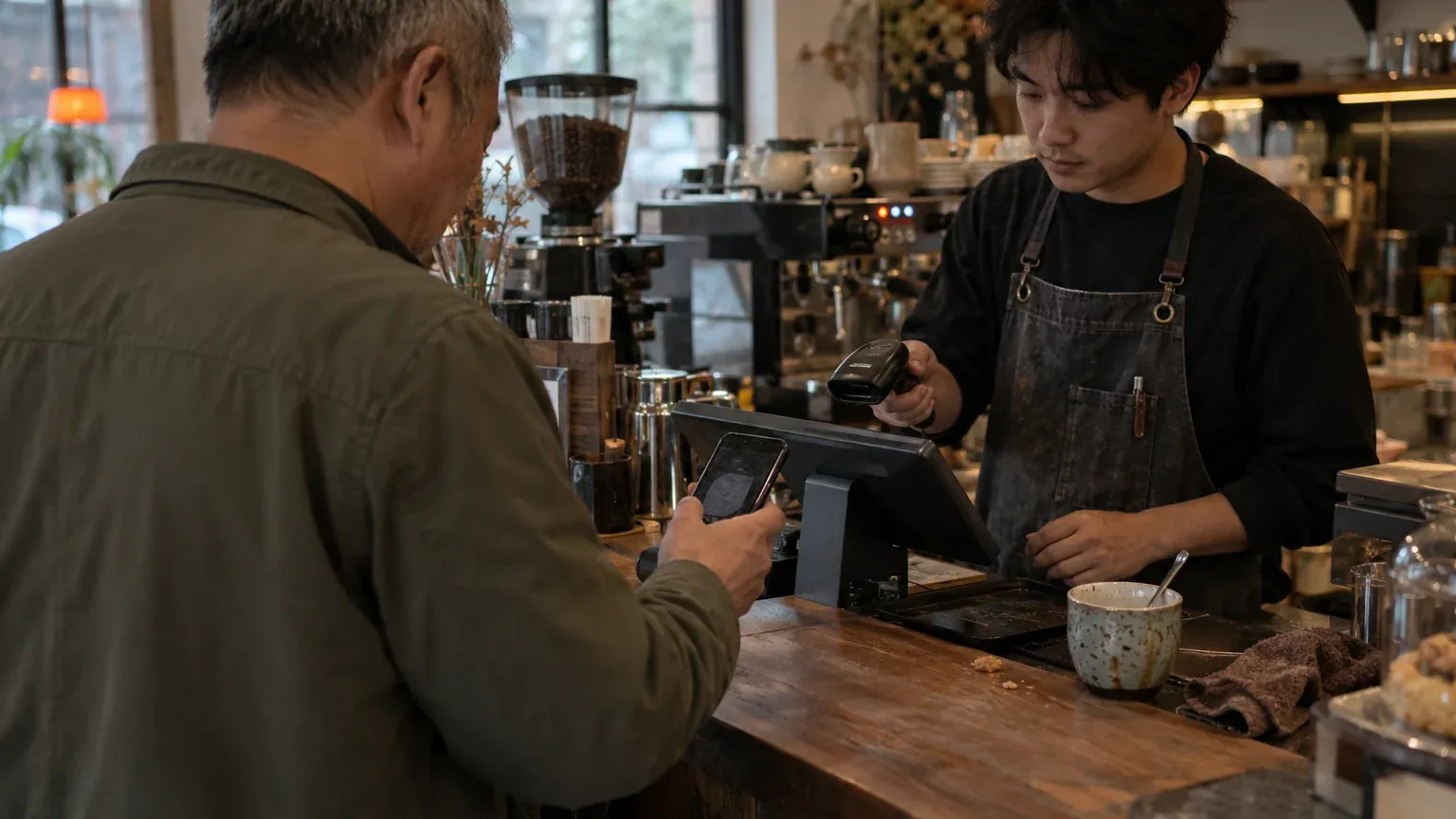
In a shop or restaurant, first ask how the cashier accepts payment. The official Shanghai guide describes two options: you scan the merchant's payment QR code or show your own payment code to be scanned.
What should you check when scanning the merchant's code?
Open the scanning function and point your camera at the code provided. On the payment screen, check the recipient and the amount in yuan. If you need to enter the amount yourself, check it against your order. Then check the available funding source and complete the verification prompt.
What should you check when the cashier scans your code?
Open your own payment code in the payment section. Check the selected funding source before showing your screen. Confirm the amount with the cashier and check it against the receipt; after scanning, open the transaction result in the app.
A QR code alone does not confirm that you can pay for the purchase with a foreign card. If the result is unclear, first check your payment history and ask the merchant to confirm the status. Agree on a second attempt only after finding out whether the first transaction was completed.
How can you check the funding source during a sample purchase?
An example for learning purposes, not a real transaction. You added a card before your trip. In a shop, you scan a code and the payment screen opens. Now you need to check the purchase details and understand which funding source the app proposes to charge.
Payment screen open
After scanning, review the purchase screen.
Recipient and amount checked
Match the name to the merchant and the amount to your order.
Is the card available?
Check the suggested funding source and whether you can select the card you want.
Confirm and check the result
If the card is available and the terms are suitable, complete the purchase and open the details.
Clarify the available payment method
If the card is not among the options, clarify the transaction type and its payment terms.
The last two items are alternative actions. If the card you want is offered, check the terms on the screen before confirming. If only another funding source is available, do not automatically assume it is suitable: first find out which funds will be used for the purchase.
Look for any payment fee in the payment service's information. Ask the issuer about currency conversion terms and any bank fees for your specific card product. The order currency and card account currency may differ; ask your bank how it will determine the amount charged.
Check the payment limit for your account, card and transaction type. A general figure in the help section does not replace your bank's terms. After the purchase, compare the payment details with the bank transaction record: recipient, amount, currency and status. If any details need clarification, save the transaction ID for your inquiry.
What should you check when paying in mini programs and on public transport?
In a mini program, check the payment method for the specific order. A card added to your wallet is ready to use, but you need to see whether it is available at checkout. Before confirming a booking, read the payment, order change and refund terms if the service displays them.

Booking a taxi, taking a bus and riding the metro each require separate checks. For a taxi, find out which funding source is available for the selected booking. For public transport, check whether you need a special transport QR code and how to activate it under the operator's rules.
In Beijing and Shanghai, check the payment rules with the operator of your chosen transport service. Do not assume that the payment process in a cafe also applies at a ticket gate. Before your first journey, find the operator's official instructions and check the requirements for your account, card and transport code.
If your preferred funding source is not offered for the order, contact the service's support team. Provide the mini program's name and the stage at which the issue arose. Confirmation that you can buy goods in a shop does not confirm that you can use the same card to pay for public transport or a car booking.
What should you check if your card or payment needs clarification?
Start with the exact message shown in the app and the transaction type. Record what you were doing: adding a card, verifying your details or paying for a purchase. This approach will help you direct your question to the right support team.
-
Check your details if the card cannot be added
Check the card details and expiry date. Ask the issuer whether your specific card product supports direct linking to WeChat Pay. Give the bank the notification text without passwords or security codes.
-
Check the channel if verification does not arrive
Check where the code should arrive: on your phone or in your banking app. Verify the number held by your bank and your connectivity. Ask the issuer how to proceed with verification.
-
Clarify the transaction type if the card is not offered
Find out whether the payment screen is for a purchase from a merchant or a transfer to another person. Contact WeChat about the availability of a payment method in your account, and your bank about the card's terms.
-
Complete any additional verification requested
Read which information is required and where to submit it. If the message explicitly says that your account is blocked, contact support with that notification. Do not use account blocking as an explanation for every other payment result.
If you do not have an eligible card or need another way to pay through WeChat, you can ask ATM24 about an available option. A manager helps you agree on the terms before the transaction, and the exchange rate is the rate current at the time of your request. The ability to top up the wallet and the availability of the account feature you need are checked separately.
Are you ready for your first purchase?
Use this checklist to assess your readiness. Preparing your account before your flight and confirming a payment to a specific merchant are separate stages. If you cannot check the purchase in advance, check it when you arrive and prepare a backup payment method.
Before your flight
Card compatibility confirmed. App requests completed. Access to your phone number and bank verification available. Documents and a backup payment method ready.
Before your purchase
Transaction type understood. Recipient and amount checked. Funding source verified. Terms displayed on the payment screen reviewed.
After payment
Transaction details opened. Result checked against the merchant's information. Purchase details saved in case of a question about the charge or a refund.
Questions and answers
Can you link a Russian card to WeChat Pay?
Ask your bank to confirm specifically whether your card product can be linked directly to WeChat Pay. Support for QR payments in a third-party app answers a different question and does not confirm that direct linking is available.
Will a card from a foreign bank work?
Check the card network, card product and the issuer's permissions for the transactions you need. After adding it, check whether the card is available as a funding source for a specific purchase: the country of issue alone does not confirm this.
Can you add a card before your trip, and when will you need an international passport?
You can start preparing your account and adding a card in advance by following the available prompts in the app. Have your passport ready for the identity verification stage if the service offers it; an added card does not confirm the future outcome of every purchase.
Why is an added card unavailable when you scan a QR code?
Clarify which type of payment has opened and save the text of the app's message. Contact WeChat support about the availability of the funding source in that scenario, and the issuer about card permissions and bank verification.
Do you need to top up your balance before a purchase, and can you send money to another person?
If the purchase can be charged to your selected card, you do not need to top up your balance separately for it. Check transfers to another person separately in the relevant feature: linking a card does not confirm that such transfers are possible.
Where can you check the status of a purchase refund?
Start with the original transaction details and ask the merchant whether the payment refund has been processed. If the merchant confirms the refund but the bank transaction record needs clarification, give your bank the transaction details; check the time frames and terms separately.
Leave a transfer request
We agree the payout method, the rate and the route before payment and reply within 5 minutes in the channel you prefer.